Real-time Audio Spectrum Visualization
Transform your music into stunning visual displays. Play files, stream internet radio, or capture system audio – then watch it come alive with 40+ beautiful 2D and 3D visualizations.
Powerful Features
Everything you need for stunning audio visualization
System Audio Capture
Capture any audio playing on your system using Windows WASAPI loopback. No audio routing required.
40+ Visualization Styles
Classic bars, 3D glass, VU meters, vectorscope, particle effects, shader sandbox, and many more.
File Playback New
Play MP3, FLAC, WAV, OGG, AAC, and more with full transport controls, playlists, shuffle, and repeat.
Internet Radio New
Browse and stream from 30,000+ internet radio stations worldwide with live metadata display.
File Browser New
Browse local files, SMB network shares, UPnP devices, and manage favorites – all in one place.
Shader Sandbox New
45+ audio-reactive SKSL shader presets with JSON import, or write your own custom shaders with real-time compilation.
Radial Modes
Unique circular and semi-circular visualization patterns for a mesmerizing display.
Stereo Support
View left and right audio channels separately, combined, or in dual-channel mode.
Multi-Monitor
Display fullscreen visualizations across multiple monitors. Perfect for DJ setups.
Demo Mode
Automatically cycle through visualizations and themes. Perfect for showcasing and ambient displays.
Per-Visualization Settings
Each visualization remembers its own camera, sensitivity, and display settings between sessions.
Windowed Mode
Resizable windows with position memory. Windows restore to their last position on next launch.
Customizable Layout New
Drag and drop to rearrange the Settings, Playlist, Playback, and Actions sections. Layout is saved between sessions.
See It In Action
Watch how Stereo Spectrum Analyzer transforms your audio experience
Screenshots
See the stunning visuals in action

Main Window
Real-time audio visualization with spectrum display and playback controls

Settings Panel
Configure visualization style, theme, audio settings, and more

Shader Presets
45+ audio-reactive SKSL shader presets with real-time preview

File Browser
Browse local files, network shares, UPnP devices, and internet radio

Internet Radio
Search and stream from 30,000+ radio stations worldwide

UPnP/DLNA Browsing
Browse and play from UPnP media servers on your network

Shader Editor
Write custom SKSL shaders with real-time compilation and audio-reactive uniforms
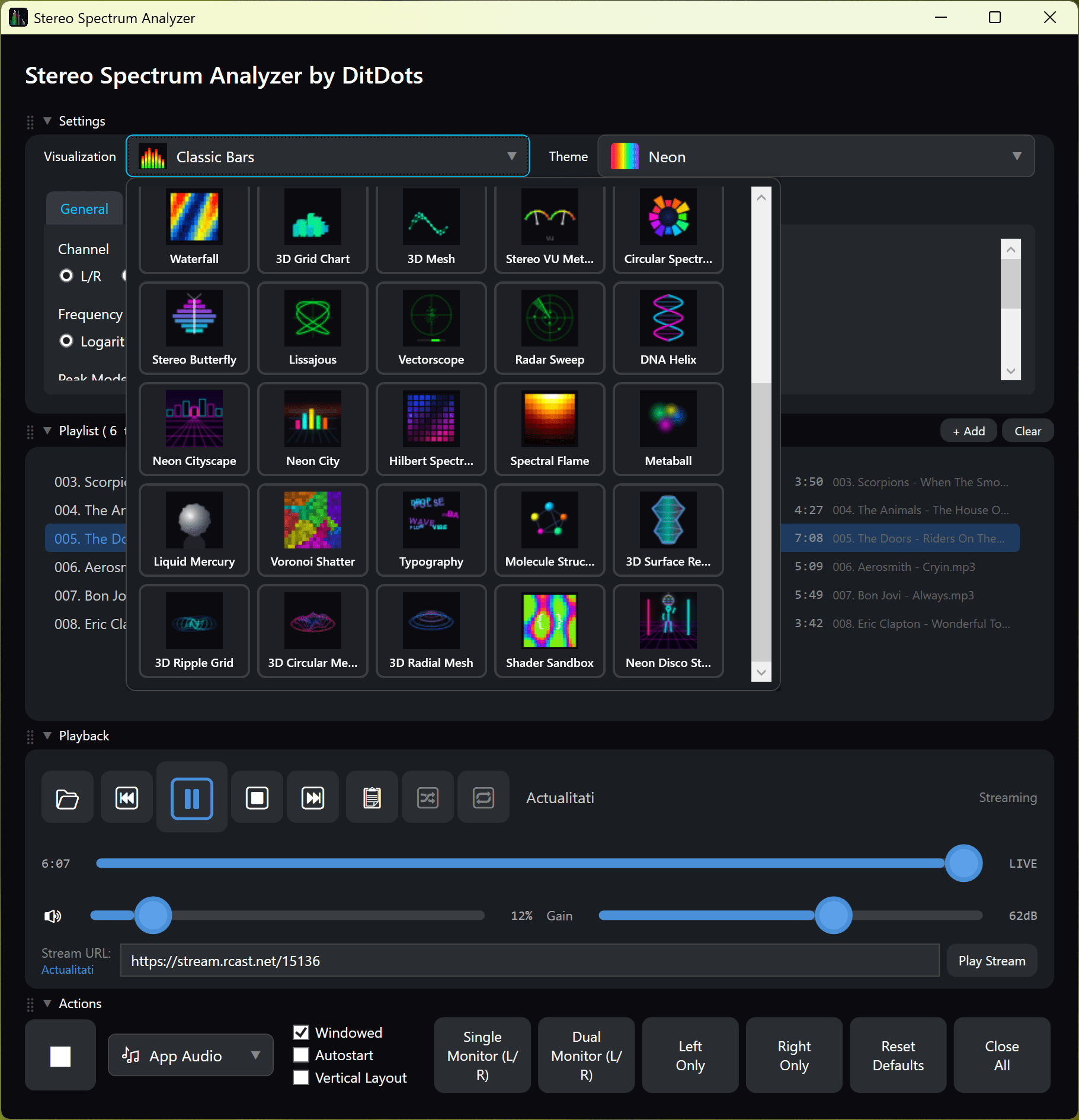
Visualization Window
Fullscreen or windowed mode with interactive 3D camera controls

Favorites
Quick access to your favorite files, folders, streams, and radio stations
40+ Visualization Styles
From classic bars to VU meters, shader presets, 3D scenes, and creative particle effects

Classic Bars
Traditional solid-color spectrum bars with peak indicators
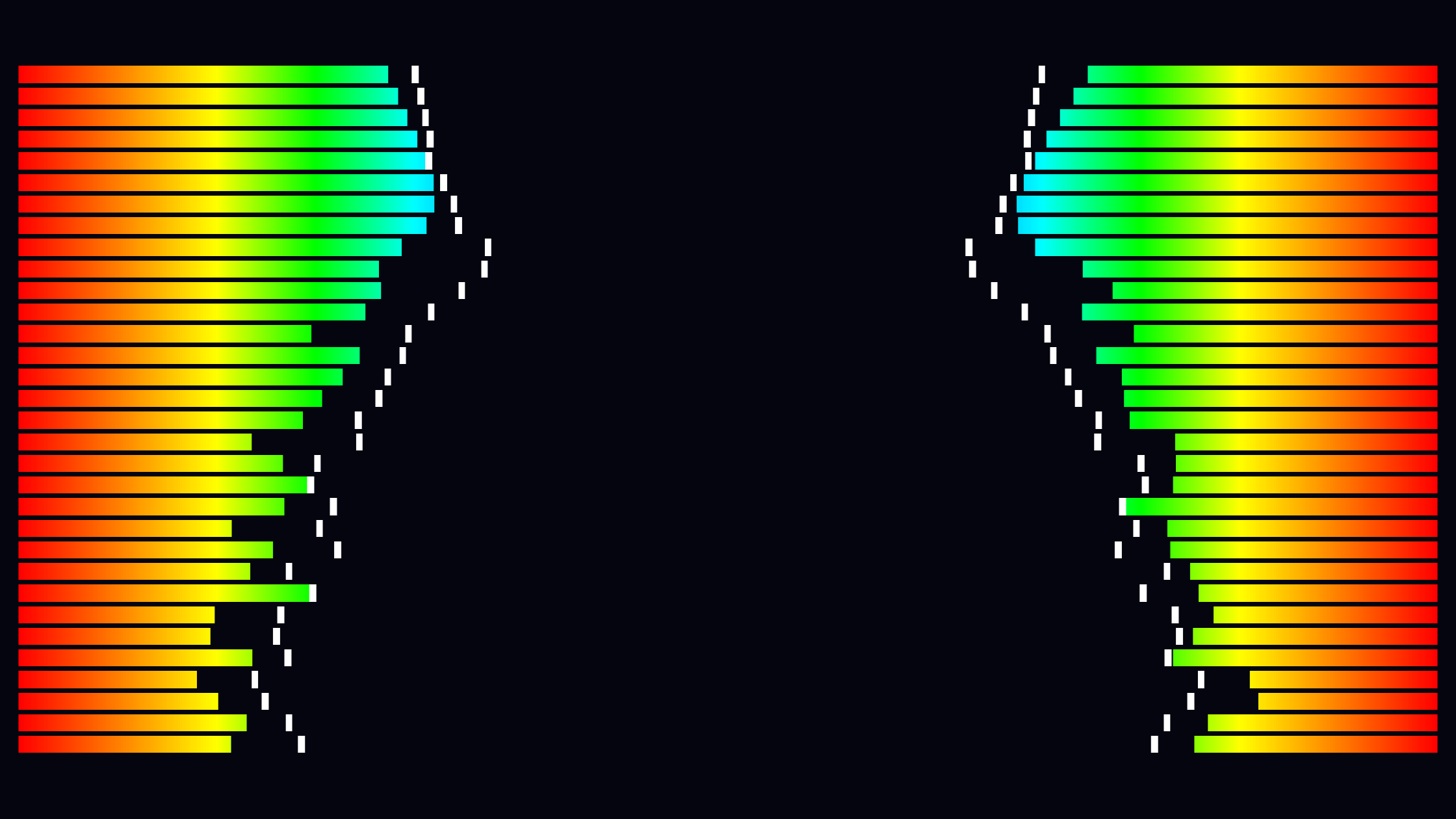
Gradient Bars
Beautiful vertical color gradients for dynamic visuals
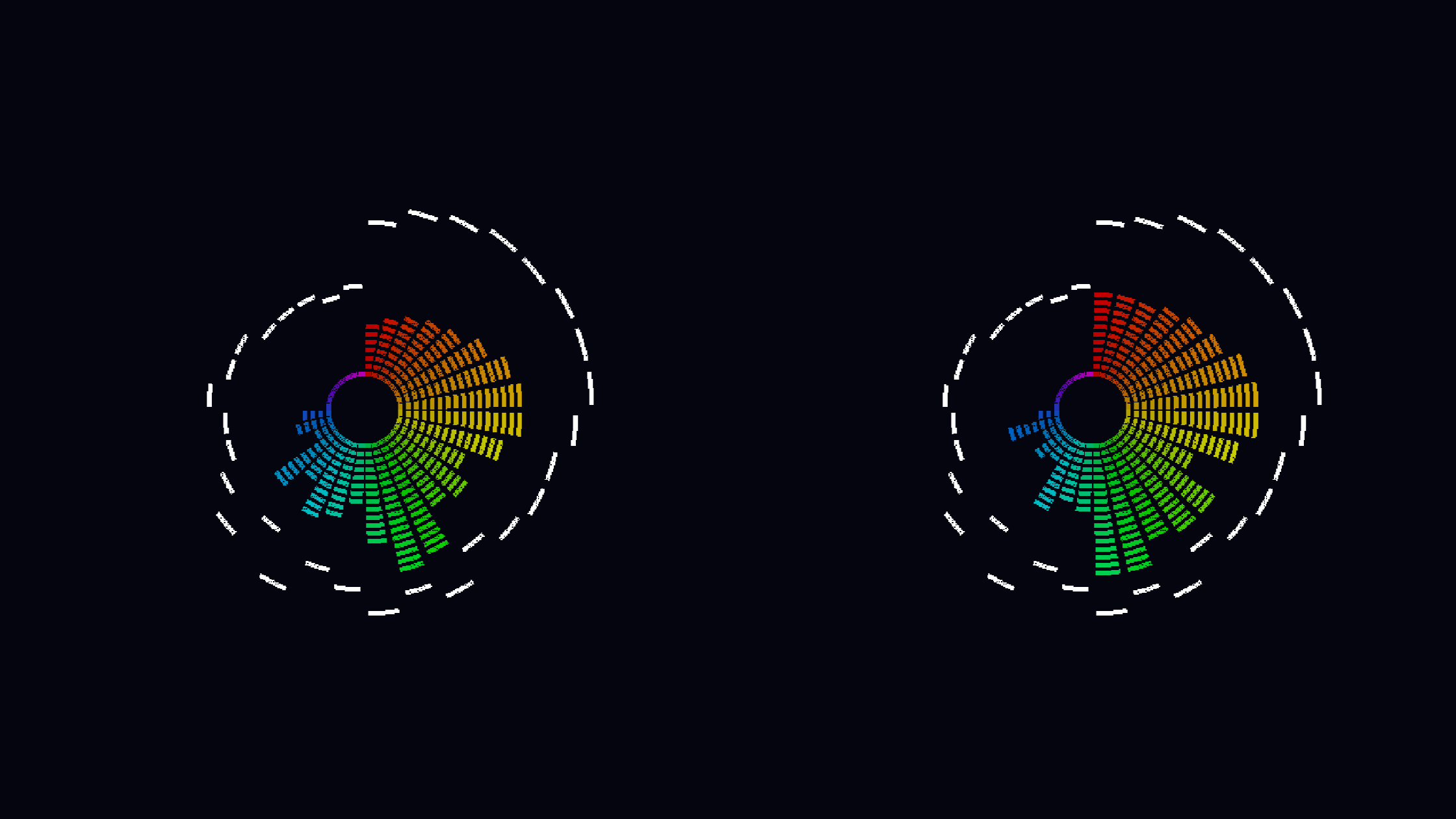
Segmented (LED)
Classic VU meter style with discrete LED segments

3D Glass Bars
Stunning translucent 3D bars with lighting effects

3D LED Bars
Three-dimensional LED segments with immersive perspective

VU Meters New
Realistic analog VU meters with needle physics

Stereo Butterfly New
Mirrored L/R waveform curves creating symmetrical patterns

Voronoi Shatter New
Voronoi tessellation that shatters and reforms with audio

Lissajous New
XY oscilloscope showing stereo phase relationships

Frequency Fountain
Particles shoot upward and fall with gravity

Aurora Borealis
Flowing ribbon-like waves that undulate with music

Frequency Fireflies
Glowing particles that orbit and scatter on bass hits

Kaleidoscope
Mirrored geometric patterns that rotate and transform

Oscilloscope Circle
Waveform wrapped around a circle

Neon Cityscape New
Synthwave city skyline pulsing to the beat

Neon Disco Stage New
Retro-futuristic disco with wireframe dancer and lights
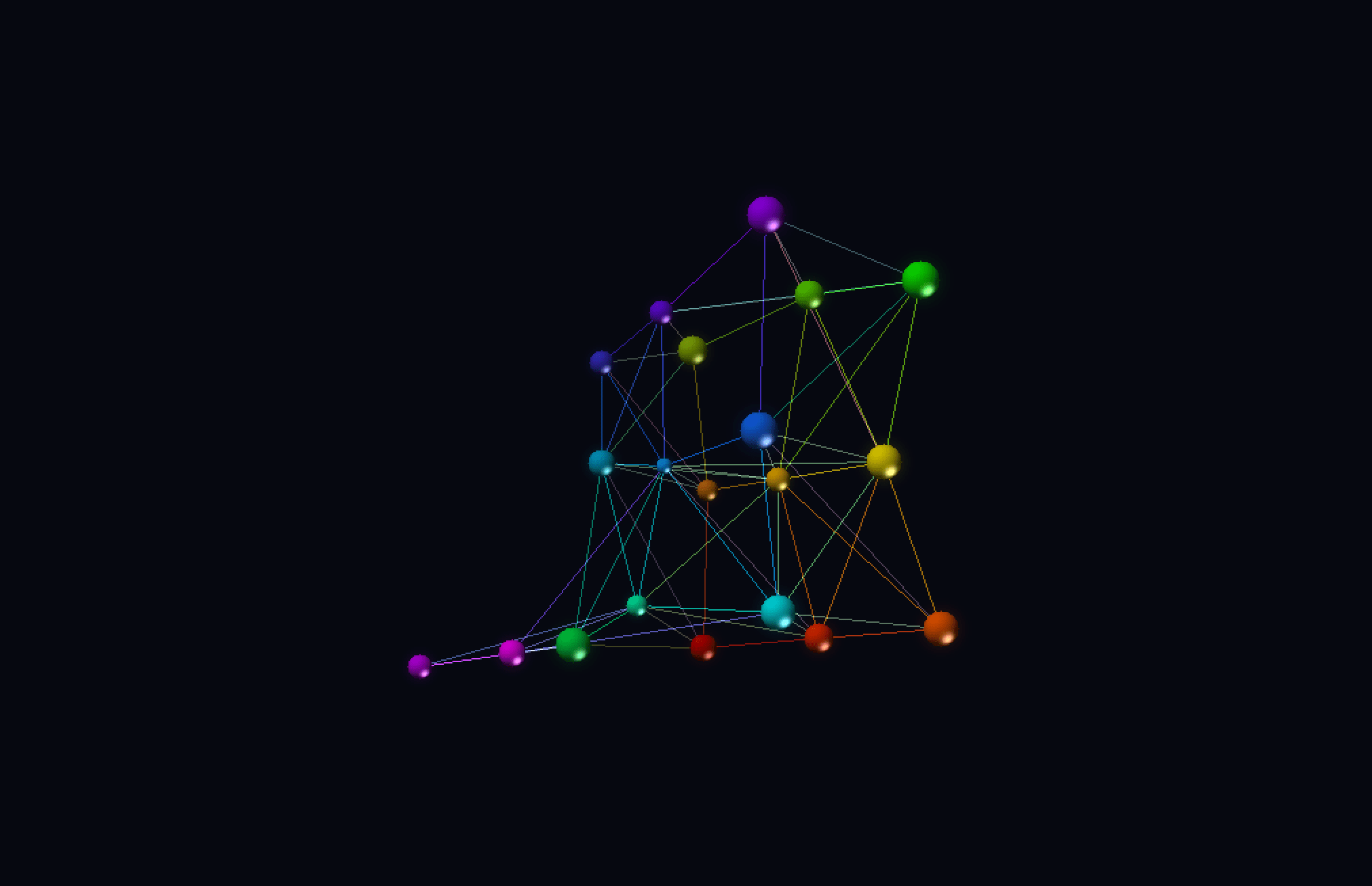
Molecule Structure New
3D atom lattice with nodes that pulse to audio
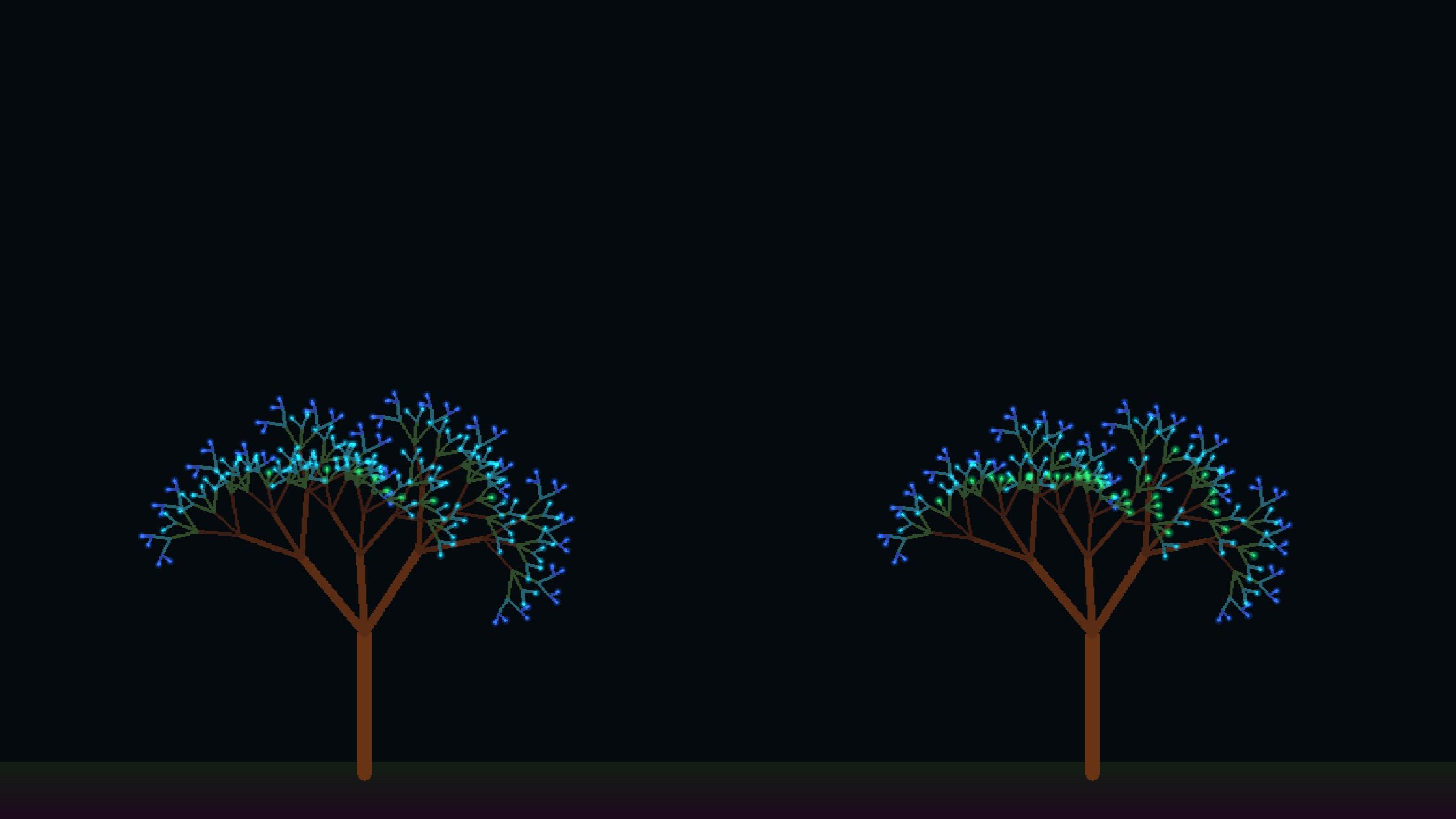
Frequency Tree
Fractal tree that grows and sways with audio

Reactive Nebula
Volumetric nebula cloud that pulses and swirls

Fire Storm New
Intense fire effect driven by audio frequency data

Metaball New
Organic blobs that merge, split, and pulse with audio

Terrain
Scrolling 3D landscape created from audio history

Waveform Ribbon
Scrolling waveform display with gradient effects

Waterfall
SDR-style time-scrolling spectrum display

Grid Chart 3D
3D perspective grid with frequency, time, and amplitude

3D Mesh
3D perspective mesh surface visualization

Surface Revolution New
Spectrum profile revolved as a 3D surface

Neural Network New
Audio-reactive neural network shader visualization

Plasma HD New
High-definition plasma effect driven by audio

Fractal Warp New
Warping fractals that respond to music

Fractal Storm New
Intense fractal patterns driven by audio energy

Magnetic Field New
Simulated magnetic field lines reacting to sound

Thermal Flow New
Heat-map style flow visualization

Liquid Crystal New
Fluid crystal patterns responding to audio

Oil Slick New
Iridescent oil slick effect driven by music

Ripple Pool New
Water ripple effects triggered by audio
New in Version 2
Major new features that transform the audio experience
File Browser & Playback
Browse local files, SMB shares, and UPnP devices. Play audio with full transport controls, playlists, shuffle, and repeat.
Internet Radio
Search and stream from 30,000+ radio stations worldwide. Browse by country, genre, or station name with live metadata.
Shader Sandbox
45+ audio-reactive SKSL shader presets including Plasma, Cosmic Vortex, Neural Network, Matrix Rain, and more. Or write your own.
New Visualizations
23 new visualization styles: VU Meters, Vectorscope, Lissajous, Neon City, DNA Helix, Voronoi Shatter, Metaball, and more.
Layout & Direction Modes
Multiple bar directions and dual-channel layout options

Horizontal Layout
Side-by-side left and right channels for wide displays
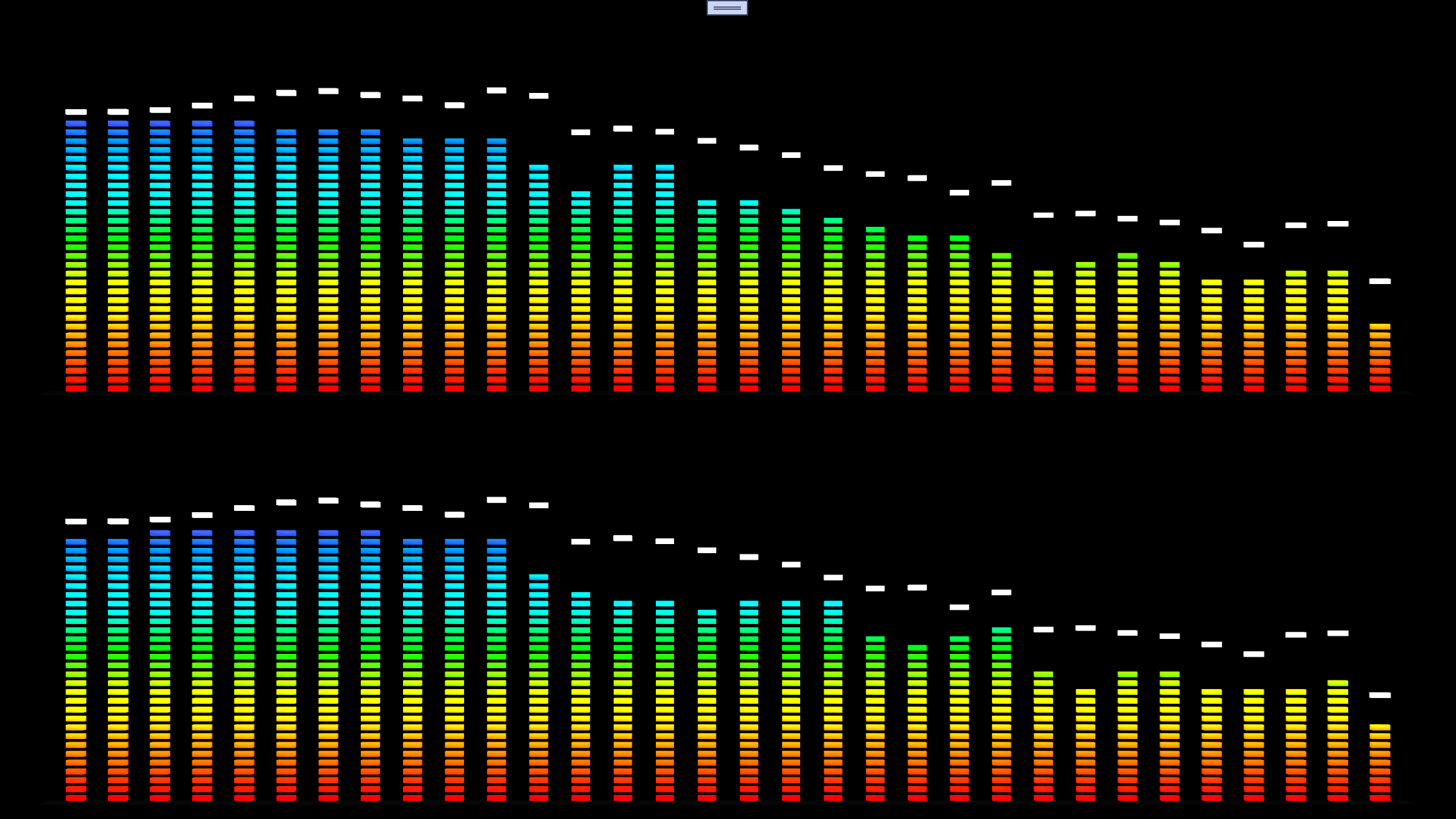
Vertical Layout
Stacked left and right channels for portrait displays

Radial 360°
Full circle visualization emanating from center

Semi-Radial Up
Half-circle arc rising from bottom

Semi-Radial Down
Half-circle arc descending from top

Mirror Mode
Bars grow from edges toward center or center to edges
Color Themes
Choose your perfect aesthetic, or create your own
Neon
Vibrant cyberpunk aesthetic
Traffic Light
Green/yellow/red zones
Grayscale
Monochrome black to white
Custom
Your own color scheme
Customizable Settings
Fine-tune every aspect of your visualization experience
Audio & Display Settings
Configure input source, sensitivity, band count, and display options

Visualization Settings
Adjust camera angles, effects, smoothing, and per-visualization options
System Requirements
Runs smoothly on most modern Windows systems
Operating System
Windows 10 or Windows 11
Runtime
.NET 9.0 Runtime
Audio
Any audio output device
Memory
4 GB RAM (8 GB recommended)
Ready to Visualize?
Download Stereo Spectrum Analyzer and transform your audio experience
Privacy Policy
Last updated: March 2026
Data Collection
Stereo Spectrum Analyzer does not collect, store, or transmit any personal data. The application operates entirely locally on your device.
Audio Processing
The application captures audio from your system’s audio output, microphone, or audio files solely for the purpose of generating real-time visualizations. This audio data is:
- Processed entirely in memory on your local device
- Never recorded, stored, or saved to disk
- Never transmitted over the internet
- Immediately discarded after visualization rendering
Network Features
The Internet Radio feature connects to the Radio Browser API to search for radio stations. Only your search queries are sent; no personal data is transmitted. Audio streaming connects directly to the stream server you select.
Local Settings
Your visualization preferences, playlists, favorites, and settings are stored locally on your device and are never transmitted to any external servers.
Third-Party Services
This application does not integrate with any third-party analytics, advertising, or tracking services.
Microsoft Store
When you download this application from the Microsoft Store, Microsoft may collect certain data as described in their privacy policy. This is handled by Microsoft and is outside the scope of this application.
Contact
If you have any questions about this privacy policy, please contact us at support@ditdots.com